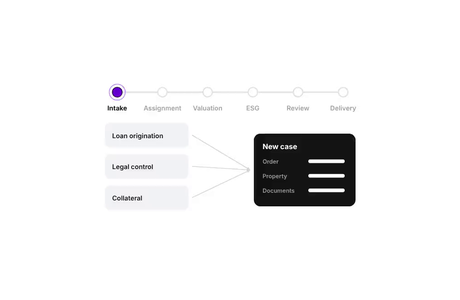
01 Intake
Orders arrive through standard interfaces, a portal for ordering users, a bulk file or manual entry.
Case types, from first appraisal to construction monitoring, due diligence and professional services, are defined per installation, each with its own forms, steps and required documents. Who can act at each step is set in configuration, not written in code.
Orders arrive through standard interfaces, a portal for ordering users, a bulk file or manual entry.
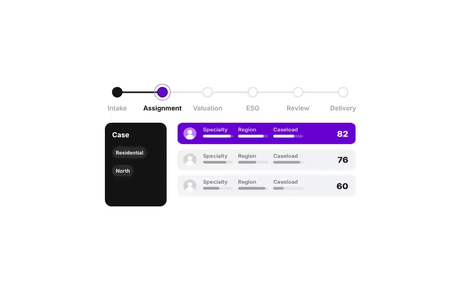
Cases go to an appraiser or an appraisal firm, by speciality, region, property type and caseload.
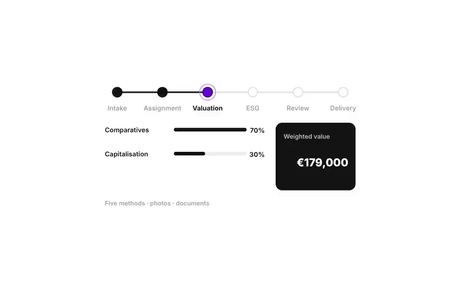
Five methods, supported by forms, photos and documents, combined into one weighted value.
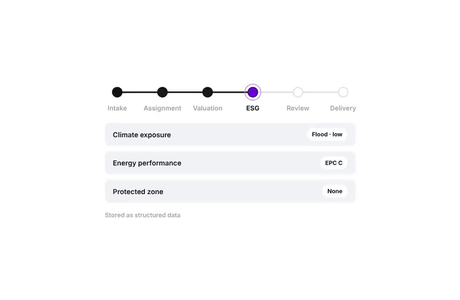
Where you enable it, climate, energy performance and protected-zone screening, stored as structured data.
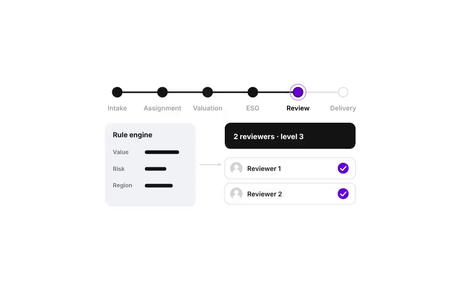
Your rules set how many reviewers, at what level. A valuation firm can check its own report first.
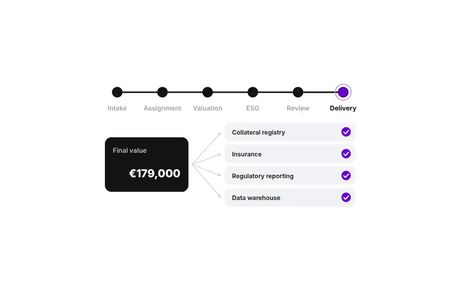
The report and final values go back to whoever placed the order, and on to the systems you connect.
Appraisers, reviewers, appraisal firms, secretariat, ordering and client users, internal audit and administrators, each with access set by status, case type, client and country.
Missing documents and holds are tracked as case statuses. Reassignment, re-examination and revaluation run as standard case flows.
Fees per client, appraisal firm and appraiser, calculated from rules such as order type, property category and distance. SLAs measured in working days, with holds excluded.
Every state change is written to the case history and cannot be edited afterwards.